
 0
0
 0
0
A movie disappearing from Netflix, TVING, Watcha, or another subscription service does not necessarily mean that it has become unavailable in Korea. Distribution rights can move from subscription streaming to individual rental or purchase, another subscription service, IPTV VOD, or physical media.
The difficult part is that these changes do not always happen on the same day. A film can leave one OTT catalog before its rental or purchase listing appears elsewhere. Search aggregators may also show an old status while an individual provider has already changed its catalog.
A better approach is to identify the exact edition first, check official Korean storefronts directly, and then compare rental and purchase conditions using the same criteria. Price matters, but so do the viewing period, resolution, subtitles, account restrictions, downloads, family access, and the number of times you realistically expect to watch the film.
Availability Gaps Between Subscription Exit and Individual Sale
Start by finding the date the movie stopped being available through the subscription service.
If the OTT platform still has a title page, check whether it shows an expiration notice or availability information. If the page has disappeared, recent notices from the platform, distributor, or film’s official social channels may help establish when subscription access ended.
Next, search individual rental and purchase services using three pieces of information:
- Korean title
- original title
- release year
The release year is important because remakes and unrelated films can share the same translated title.
Do not assume that individual rental begins immediately after subscription access ends. Licensing arrangements can create a period in which a film is no longer included with a monthly subscription but has not yet appeared as a Korean digital rental or purchase.
When a general availability search says that a film is not currently available, check the provider itself before giving up. Apple notes that media availability can vary by country or region and that the availability of individual titles can change. YouTube similarly states that individual movie availability varies by location and can change over time.
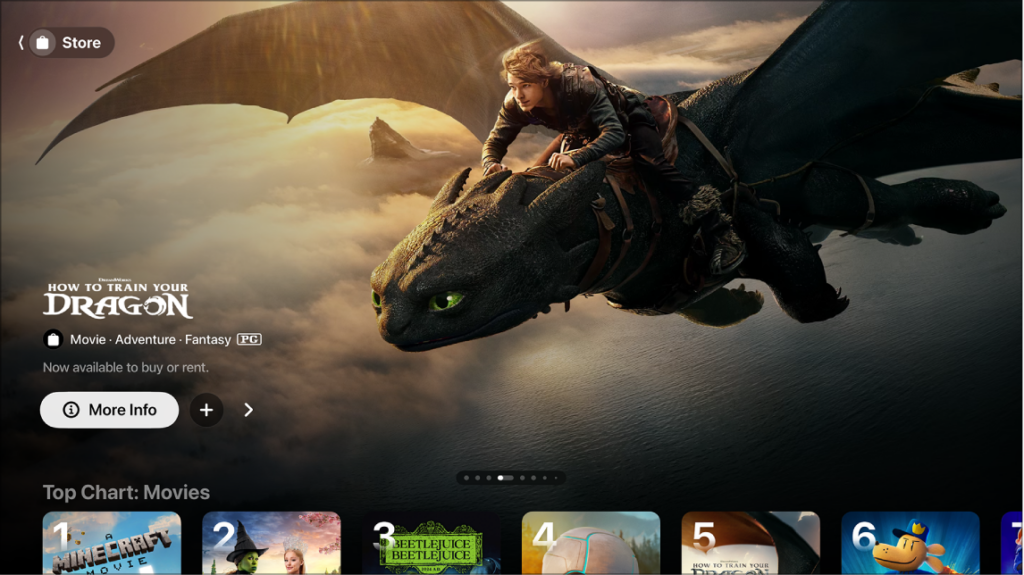
In Korea, useful places to verify include the Apple TV Store, YouTube’s movie rental and purchase listings, local IPTV VOD menus, and any Korean digital storefront named by the distributor. YouTube currently lists South Korea among the countries where movie rentals and purchases are supported, although this does not mean that every film is offered there.
For a movie that disappeared from an OTT service on July 31, for example, it is worth checking whether an individual-sale page appeared on August 1, August 8, or later. Recording both dates helps distinguish a genuine availability gap from a movie that has simply moved to another service.
Edition Identification by Runtime, Release Year, and Distributor
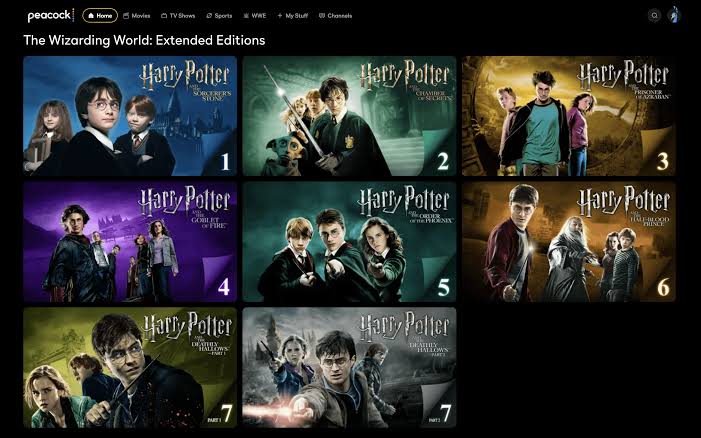
Finding the correct movie title is only the first step. Different editions of the same work can appear beside one another.
A film may have:
- theatrical cut
- director’s cut
- extended edition
- restored edition
- dubbed edition
- remastered release
The title alone may not make the difference obvious.
Runtime is one of the fastest ways to detect a mismatch. If the version you watched previously lasted 128 minutes but the rental page shows 145 minutes, investigate before paying. The longer listing may be an extended edition rather than the theatrical version.
Release year also needs care. A restored edition can retain the original production year while having a much newer digital release date. Conversely, a remake may have exactly the same title but a different cast, director, and year.
The distributor provides another useful cross-check. Compare the provider page with the distributor or studio information when several editions are available.
Subtitle and audio information should be checked at the same time. A listing that appears correct by title and poster may offer only Korean dubbing, only the original-language soundtrack, or subtitle languages that do not match what you need.
Resolution can differ between editions as well. A standard HD listing and a 4K version should not automatically be treated as identical products merely because the film title is the same.
Before selecting Rent or Buy, match at least:
title → year → director → cast → runtime → edition → distributor → audio → subtitles → video quality
Apple’s TV Store documentation notes that movie pages provide viewing information and can offer different ways to watch a title depending on available channels and apps.
Rental Periods and Purchased-Collection Access
Rental and purchase should not be compared only by price because they provide different types of access.
With a rental, there are usually two relevant clocks:
- the period available before playback begins
- the viewing period after the first playback
For Apple movie rentals, the current rule is 30 days to begin watching. Once playback starts, the rental remains available for 48 hours. YouTube uses a title-specific rental period. Its help documentation says rental periods are usually 48 hours after playback begins, but the actual period is shown on the final checkout page and should be treated as the controlling information for that movie.
This matters when planning a weekend viewing. Renting on Monday does not necessarily mean that the 48-hour viewing clock starts on Monday. On Apple, for example, it begins when playback starts, provided the movie is started within the initial 30-day period.
Digital purchase involves a different issue. “Buy” does not mean receiving an unrestricted video file that can be copied to any device or transferred to another service. Access is associated with the relevant account and platform environment. Apple currently allows purchased digital media to be permanently downloaded to compatible iPhone, iPad, Mac, or Windows PC devices. citeturn696392search12 YouTube purchases are watched through supported devices while signed in to the Google Account used for the transaction.
Family access can also differ substantially between storefronts. Apple supports sharing eligible movie and TV purchases through Family Sharing when purchase sharing is enabled. By contrast, YouTube states that movies purchased directly on YouTube do not appear in the Google Play Family Library. For that reason, check the terms of the actual storefront instead of assuming that every “purchase” offers the same download, family-sharing, and long-term access rights.
Regional Catalogs and Account-Country Restrictions
Digital movie catalogs are regional. The same storefront can show one film in Korea and a different selection in another country because distribution licenses and service availability vary by region. Apple explicitly states that media availability and features can differ by country or region. YouTube also says individual titles vary by location.
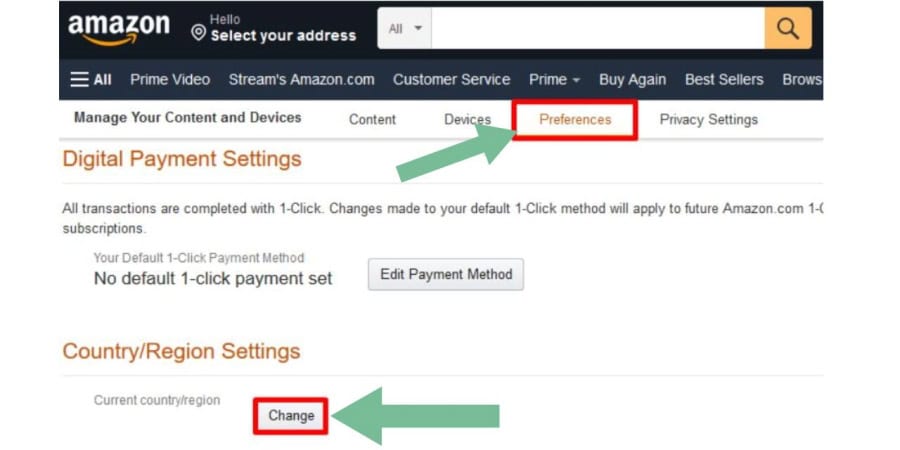
Payment details can be part of that regional structure. Google says that setting up a new Google Play country requires the user to be in that location and to have a payment method from the new country or region. Changing the Play country can also result in losing access to some movies, TV programs, apps, books, or other content.
Apple similarly requires several issues to be resolved before changing an Apple Account country or region. This can include spending the remaining account balance, waiting for certain subscriptions or rentals to finish, and adding a valid payment method for the new region. Apple also warns that some previously available content may not be offered in the new country or region. Changing a country setting is therefore not a good substitute for finding a legal Korean seller. It can affect existing purchases and other account services.
A safer order is:
Korean distributor → Korean Apple TV Store or YouTube listing → IPTV VOD → authorized Korean physical-media retailer
If none of these offers the film, check again later rather than trying to bypass regional restrictions with a VPN or repeatedly changing an account country.
Official Storefront Pricing and Discounted Third-Party Offers
Once a legitimate Korean listing has been found, compare the final cost rather than the large price displayed at the top of the page.
A useful comparison includes:
rental price + quality option + applicable tax or fee + discount eligibility + viewing period + family access
versus
purchase price + quality option + applicable tax or fee + discount eligibility + download options + family access
Some stores automatically provide the highest quality available for the selected listing, while others may present different versions or prices. Apple states that supported Apple TV Store content can play in the highest-quality format available, including HD and 4K where applicable, but the details still need to be confirmed for the individual title and device.
Points, coupons, introductory promotions, or card discounts can also change the effective cost. Compare the amount that will actually be charged rather than comparing one service’s regular price with another service’s discounted price.
Be more cautious when the apparent discount comes from an open chat, secondhand marketplace, private message, or personal bank-transfer request instead of the official storefront.
Red Flags in Discounted OTT Subscription Offers Shared Through Open Chats and Secondhand Markets is relevant when a seller offers unusually cheap access through a shared account, transferred credentials, privately sold voucher, or another arrangement that does not resemble a normal provider promotion.
A genuine discount should be traceable to the provider, authorized retailer, payment company, or clearly identified promotional partner. An individual asking for money in exchange for somebody else’s account access should not be treated as equivalent to an official movie rental.
This distinction becomes especially important after a film leaves a subscription service. Viewers who are frustrated because they cannot find the title may be more willing to accept an unofficial “cheap access” offer without checking who actually owns the account or whether the transaction complies with the platform’s rules.
Rental-to-Purchase Break-Even Cost
The decision between rental and purchase becomes simpler when the likely number of viewings is included.
Suppose a movie costs KRW 4,500 to rent and KRW 14,900 to purchase.
One rental costs KRW 4,500.
Two separate rentals cost KRW 9,000.
Three cost KRW 13,500.
Four cost KRW 18,000.
The purchase price divided by the rental price is about 3.31, so buying becomes cheaper than repeatedly renting once the movie would otherwise be rented four times.
That does not automatically make purchase the better choice. The calculation needs to include other differences.
If the rental is available in 4K but the purchase being compared is HD, the products are not equivalent. If the purchased version can be shared with family members but the rental cannot, purchase has additional value. If a coupon applies only to rentals, the break-even point changes again.
A practical formula is:
effective purchase price ÷ effective rental price = approximate break-even viewing count
Round upward because a fraction of a rental is not possible.
For a movie you expect to watch once, rental will often be more economical. For a favorite movie that several household members expect to revisit, purchase may reach its break-even point quickly.
Physical media should also be included when the purchase price is close. A Blu-ray may cost more but can provide extras, alternate cuts, commentary tracks, or a form of access that is not tied to an online storefront account. Shipping costs, region compatibility, subtitles, and player requirements should be added before comparing it with digital purchase.
Final Availability and Purchase Verification
The final check should happen on the provider’s own page immediately before payment.
Confirm the exact edition again because search results and saved links can lead to a different version than expected.
Check:
current availability → rental or purchase → final price → runtime → edition → subtitles → audio → HD or 4K → rental deadline → playback period → supported devices → downloads → family sharing
If a subscription title disappeared recently, also compare the OTT removal date with the individual-sale registration date. A gap between the two can explain why the movie seemed unavailable for several days.
If the official seller still shows no Korean listing, the absence should not be treated as permanent. Digital rights can change again, a different platform may acquire the film, or a rental option may appear after the subscription window ends.
The most reliable process is therefore not to search every streaming site repeatedly. It is to identify the exact release, establish whether there is a distribution gap, verify current Korean storefronts, compare access conditions on equal terms, and calculate whether the expected number of viewings makes rental or purchase more sensible.
A movie leaving a subscription service changes the way it is accessed. It does not necessarily mean that the movie itself has disappeared.


